Windows 10 End of Life: Critical Ramifications and Essential Preparation Strategies for October 2025
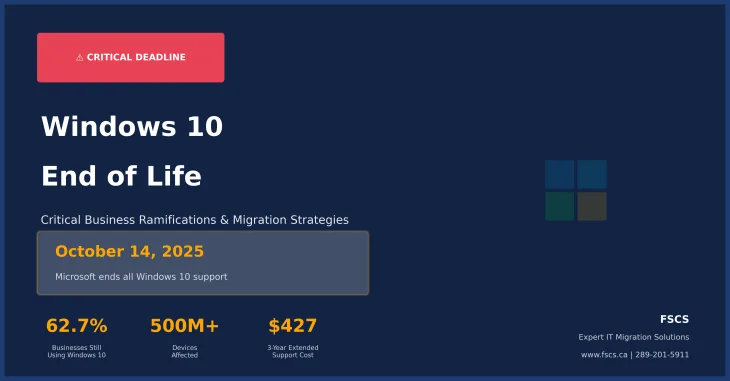
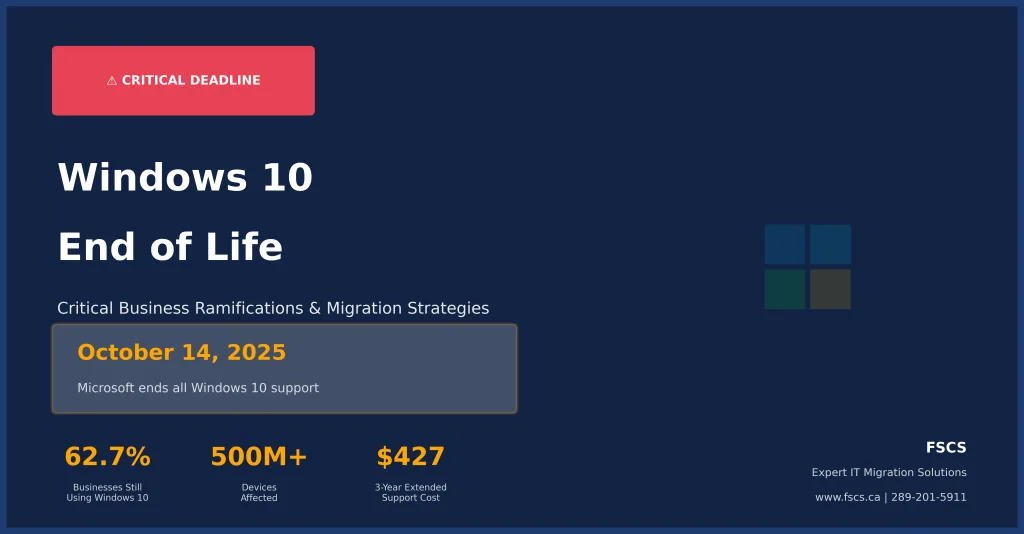
⚠️ CRITICAL DEADLINE: Windows 10 Support Ends October 14, 2025 ⚠️
The countdown has begun. On October 14, 2025, Microsoft will officially end support for Windows 10, marking the conclusion of one of the most widely adopted operating systems in computing history. With Windows 10 still commanding an impressive 62.7% of the global desktop market share as of December 2024, this transition represents one of the most significant technology shifts businesses and consumers will face in the coming months. The ramifications of Windows 10 end of life extend far beyond simple software updates, creating a cascade of security, compliance, and operational challenges that demand immediate attention and strategic planning.
📊 Key Statistics: 62.7% of businesses still use Windows 10 | 400-500 million devices affected | $427 per device for 3-year extended support.
Understanding the Windows 10 End of Life Timeline
Microsoft has been unequivocally clear about the Windows 10 end of support date. After October 14, 2025, the company will cease providing technical assistance, feature updates, and most critically, security updates for all Windows 10 editions, including Home, Pro, Enterprise, and Education versions. This definitive end-of-life milestone follows Microsoft’s Modern Lifecycle Policy, which has governed Windows support cycles for years. Unlike previous Windows transitions where Microsoft occasionally extended support deadlines, industry experts unanimously agree that no extension will be forthcoming for Windows 10.
The current version, Windows 10 22H2, represents the final feature update for the operating system. From this point forward, Microsoft’s development resources are entirely focused on Windows 11 and future innovations, leaving Windows 10 users in an increasingly precarious position as the October 2025 deadline approaches. This timeline compression creates unprecedented urgency for organizations and individuals who have delayed their migration planning.
The Security Crisis: What Happens After Support Ends
Security Alert: Unsupported Windows 10 systems become prime targets for cybercriminals exploiting unpatched vulnerabilities. Historical data shows dramatic increases in malware infections on end-of-life operating systems.
The most immediate and dangerous ramification of Windows 10 end of life centers on cybersecurity vulnerabilities. Once Microsoft discontinues security updates, Windows 10 systems become sitting targets for cybercriminals who actively exploit unpatched vulnerabilities. The security landscape demonstrates that new threats emerge constantly, with sophisticated ransomware attacks, advanced persistent threats, and zero-day exploits becoming increasingly common and destructive.
Historical precedent from previous Windows end-of-life transitions reveals the severity of this risk. When Windows XP support ended in 2014, systems running the outdated operating system experienced dramatically higher infection rates and became primary vectors for malware distribution. The WannaCry ransomware attack of 2017, which devastated organizations worldwide, specifically targeted systems running unsupported Windows versions, demonstrating the real-world consequences of operating without current security patches.
For businesses, the security implications extend beyond individual workstations. Unsupported Windows 10 systems can serve as entry points for network-wide breaches, potentially compromising entire organizational infrastructures. Cybercriminals understand that unpatched systems represent the path of least resistance, making Windows 10 end of life a significant catalyst for increased cyber attack frequency and sophistication.
Business Compliance and Regulatory Ramifications
Organizations operating in regulated industries face particularly severe consequences from Windows 10 end of life. Healthcare providers subject to HIPAA regulations, financial institutions governed by SOX and PCI DSS standards, and government contractors bound by FISMA requirements will find continued Windows 10 usage incompatible with compliance mandates. Regulatory frameworks consistently require organizations to maintain current, supported software systems with active security update mechanisms.
The compliance ramifications extend to cyber insurance coverage, where many policies explicitly exclude claims resulting from the use of unsupported software systems. Insurance providers increasingly scrutinize organizational cybersecurity practices, and operating unsupported Windows 10 systems could void coverage precisely when organizations need protection most. This creates a double jeopardy situation where businesses face both increased vulnerability and reduced financial protection.
Professional service organizations, including legal firms, accounting practices, and consulting companies, must consider client data protection obligations that may be compromised by unsupported operating systems. Contractual agreements often include specific cybersecurity requirements that become impossible to fulfill without current security updates, potentially exposing organizations to breach of contract claims and professional liability issues.
The Windows 11 Migration Challenge
Migration Reality Check: Windows 11 hardware requirements exclude millions of functional computers, potentially requiring complete hardware replacement rather than simple software upgrades.
Transitioning from Windows 10 to Windows 11 presents significant technical and financial challenges that many organizations have underestimated. Windows 11 hardware requirements represent a substantial departure from previous Windows upgrade cycles, demanding specific security features including TPM 2.0 chips, UEFI firmware with Secure Boot capability, and relatively recent CPU architectures. These requirements effectively exclude millions of otherwise functional computers from official Windows 11 compatibility.
The hardware compatibility crisis affects an estimated 400 to 500 million Windows 10 devices worldwide that cannot officially upgrade to Windows 11. For businesses operating large fleets of computers purchased between 2016 and 2019, the Windows 11 migration may require complete hardware replacement rather than simple software upgrades. This hardware refresh cycle represents a massive capital expenditure that many organizations have not adequately budgeted for in their technology planning.
Beyond hardware considerations, Windows 11 migration requires comprehensive application compatibility testing, user training programs, and potential workflow modifications. Legacy business applications, specialized industry software, and custom-developed solutions may require updates or replacements to function properly in the Windows 11 environment. These compatibility challenges can extend migration timelines significantly and introduce unexpected costs that compound the overall transition burden.
Extended Security Updates: A Temporary Solution with Limitations
Microsoft has announced Extended Security Updates (ESU) programs for Windows 10, providing a potential bridge for organizations unable to complete immediate Windows 11 migrations. However, these programs come with significant limitations and costs that make them unsuitable as long-term solutions. Consumer ESU subscriptions cost $30 annually and provide only one additional year of security updates, extending support only until October 2026.
Business ESU pricing follows a dramatically different structure, with first-year costs of $61 per device, doubling to $122 in the second year, and doubling again to $244 in the third year. The cumulative three-year ESU cost of $427 per device often exceeds the price of new hardware, making the program economically questionable for most organizations. Educational institutions receive more favorable ESU pricing, but even these reduced rates represent ongoing operational expenses without corresponding functionality improvements.
The ESU programs provide security updates only, without feature enhancements, performance improvements, or compatibility updates for new software and hardware. Organizations subscribing to ESU essentially pay premium prices to maintain status quo functionality while falling further behind current technology standards. This approach delays inevitable migration costs while providing diminishing value over time.
Industry-Specific Impact and Considerations
Different industries face unique challenges from Windows 10 end of life that require specialized preparation strategies. Healthcare organizations must consider medical device compatibility, electronic health record system requirements, and patient data protection obligations that may be affected by operating system changes. Many medical devices and specialized healthcare applications have lengthy certification processes for new operating systems, potentially creating operational disruptions during the transition period.
Manufacturing and industrial organizations often operate specialized control systems, production equipment interfaces, and quality management software that may have limited Windows 11 compatibility. These systems frequently require extended testing periods and may need hardware upgrades or software replacements that could affect production schedules and operational efficiency.
Financial services organizations face additional complexity from regulatory reporting systems, trading platforms, and risk management applications that must maintain continuous operation throughout the Windows 10 to Windows 11 transition. The financial industry’s emphasis on system stability and regulatory compliance makes the migration particularly challenging and requires extensive planning and testing phases.
Preparing for Windows 10 End of Life: Essential Action Steps
Organizations must begin comprehensive Windows 10 end of life preparation immediately to avoid crisis-driven decisions and emergency expenditures. The preparation process begins with thorough hardware inventory and compatibility assessment to determine which systems can support Windows 11 and which require replacement. This assessment should include not only desktop computers but also laptops, tablets, and specialized devices that may be running Windows 10.
Application compatibility testing represents another critical preparation component that requires significant time and resources. Organizations should catalog all business-critical applications, test their Windows 11 compatibility, and identify necessary updates or replacements. This process often reveals dependencies and integration requirements that were not previously documented, making early assessment essential for accurate migration planning.
Data backup and migration planning ensures business continuity throughout the transition process. Organizations should implement comprehensive backup strategies that protect against data loss during hardware replacements and operating system upgrades. Cloud-based backup solutions provide additional protection and facilitate easier data migration between systems.
User training and change management programs help minimize productivity disruptions during the Windows 11 transition. The new operating system includes interface changes and feature modifications that may require user adaptation. Proactive training programs reduce support calls and help maintain operational efficiency during the migration period.
Professional IT Support: Your Strategic Advantage
Navigating the Windows 10 end of life transition successfully requires specialized expertise and comprehensive planning that many organizations lack internally. Professional IT support services provide the strategic guidance, technical expertise, and project management capabilities necessary for smooth, efficient migrations that minimize business disruption and maximize return on technology investments.
The complexity of modern business technology environments makes professional support essential rather than optional. Organizations attempting self-managed Windows 10 end of life transitions often encounter unexpected challenges, compatibility issues, and implementation delays that could have been avoided with expert guidance. Professional IT partners bring years of migration experience, established vendor relationships, and proven methodologies that streamline the entire process.
Hidden costs often emerge during Windows 10 end of life transitions, including temporary productivity decreases, additional IT support requirements, and potential business disruption expenses. Smart organizations factor these indirect costs into their migration budgets to avoid financial surprises and ensure comprehensive preparation for the transition ahead.
FSCS: Your Windows 10 End of Life Migration Partner
FSCS (First Source Computer Solutions) specializes in helping organizations navigate complex technology transitions like Windows 10 end of life. Our comprehensive approach begins with detailed assessment of your current environment, including hardware inventory, application compatibility analysis, and business requirement evaluation. We develop customized migration strategies that align with your operational needs, budget constraints, and timeline requirements.
Our Windows 11 migration services include hardware procurement assistance, ensuring you select systems that meet both current needs and future growth requirements. We handle the technical complexities of data migration, application installation, and system configuration, allowing your team to focus on core business activities rather than technical implementation details. Our approach minimizes downtime and ensures business continuity throughout the transition process.
Beyond migration services, FSCS provides ongoing support and maintenance that keeps your new Windows 11 environment secure, efficient, and optimized for your business needs. We monitor system performance, manage security updates, and provide proactive maintenance that prevents issues before they impact your operations. This comprehensive support approach ensures your technology investment delivers maximum value and reliability.[/alert]
Security Enhancement Strategies for the New Environment
The Windows 10 to Windows 11 transition provides an excellent opportunity to implement enhanced security measures that protect against evolving cyber threats. Windows 11 includes advanced security features like hardware-based isolation, enhanced encryption capabilities, and improved threat detection that significantly strengthen organizational cybersecurity postures when properly configured and managed.
Multi-factor authentication implementation becomes even more critical in the post-Windows 10 environment, where security threats continue to evolve and intensify. Modern authentication systems provide additional protection layers that complement Windows 11’s built-in security features, creating comprehensive defense strategies that protect against both external attacks and internal security breaches.
Network segmentation and access control strategies help limit the potential impact of security incidents while providing better visibility into system usage and potential threats. These approaches work particularly well with Windows 11’s enhanced security features to create robust, layered defense systems that adapt to changing threat landscapes.
Cost Management and Budget Planning
The financial impact of Windows 10 end of life extends beyond obvious hardware and software costs to include training, productivity losses, and potential security incident expenses. Comprehensive budget planning should account for all these factors to avoid unexpected financial pressures during the migration process. Organizations that plan proactively often achieve better pricing on hardware purchases and can spread costs over longer periods to minimize budget impact.
Hidden costs often emerge during Windows 10 end of life transitions, including temporary productivity decreases, additional IT support requirements, and potential business disruption expenses. Smart organizations factor these indirect costs into their migration budgets to avoid financial surprises. Professional IT partners can provide accurate cost estimates that account for both direct and indirect expenses, enabling more precise budget planning and financial preparation.
Leasing and financing options provide alternatives to large capital expenditures that may strain organizational budgets. These approaches allow organizations to acquire necessary hardware and services while maintaining cash flow flexibility for other business priorities. Professional IT partners like FSCS can help evaluate financing options and structure agreements that align with organizational financial strategies.
The cost of inaction often exceeds migration expenses when security incidents, compliance violations, and productivity losses are considered. Organizations that delay Windows 10 end of life preparation risk emergency expenditures, crisis-driven decisions, and potential business disruptions that far exceed the cost of proactive planning and implementation.
Timeline and Implementation Strategy
Successful Windows 10 end of life transitions require structured implementation timelines that account for assessment, planning, procurement, testing, and deployment phases. Organizations should begin this process immediately, as the October 2025 deadline allows limited time for comprehensive preparation, especially for larger organizations with complex technology environments.
The assessment phase should be completed within 30-60 days to provide accurate understanding of migration requirements and costs. This timeline allows for thorough hardware inventory, application compatibility testing, and business requirement analysis that inform subsequent planning decisions. Rushing this phase often leads to incomplete information and poor migration outcomes.
Procurement and deployment phases require additional time for vendor selection, hardware ordering, and systematic implementation across organizational locations and departments. Phased deployment approaches often work better than organization-wide transitions, allowing for lessons learned and process refinement that improve overall migration success rates.
Conclusion: Act Now to Secure Your Future
The Windows 10 end of life transition represents both a significant challenge and a valuable opportunity for organizations to modernize their technology infrastructure, enhance security postures, and improve operational efficiency. However, success requires immediate action, comprehensive planning, and professional expertise that many organizations lack internally.
The ramifications of inadequate preparation extend far beyond technical inconveniences to include security vulnerabilities, compliance violations, productivity losses, and potential business disruptions that could have lasting impact on organizational success. Conversely, organizations that approach this transition strategically often emerge with stronger, more secure, and more efficient technology environments that support business growth and competitive advantage.
FSCS stands ready to help your organization navigate this critical transition successfully. Our comprehensive approach, technical expertise, and commitment to client success ensure your Windows 10 end of life migration enhances rather than disrupts your business operations. We understand the urgency of this timeline and the complexity of modern business technology requirements.
Don’t wait until the October 2025 deadline creates crisis conditions for your organization. Contact FSCS today to begin your Windows 10 end of life preparation and ensure a smooth, successful transition to Windows 11. Our team is ready to assess your current environment, develop customized migration strategies, and provide the ongoing support necessary for long-term technology success.
Contact FSCS for Expert Windows 10 End of Life Support
🌐 Website: www.fscs.ca
📧 Email: solutions@fscs.ca
📞 Phone: 289-201-5911
Get Free Consultation Visit Our Website
Your technology future depends on the decisions you make today. Let FSCS help you make the right choices for lasting success and security in the post-Windows 10 era.